This Forex scalping indicator for MT4 is excellent choice if you want to take advantage of short-term price movements.
It’s composed of moving averages, MACD, OsMA, Stochastic oscillator, RSI, CCI, RVI, ADX and Bollinger Bands.
You can modify all indicator input values.
Trading Signals
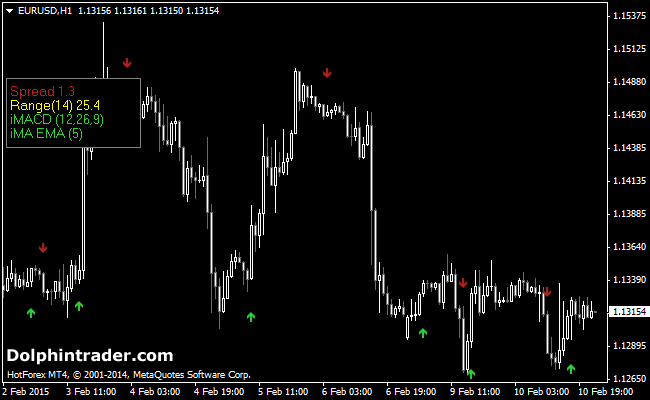
Buy signal: green arrow
Sell signal: red arrow
Tips
Use higher time frames to discover the overall trend.
Trade in the direction of the overall trend. Avoid counter-trend signals.
Place your stop-loss below the most recent support level (buy) or above the most recent resistance level (sell).
Indicator Preferences
Currency pairs: any
Preferred Time frames: any
Sessions: any
Download
Download the indicatorarrows.mq4 indicator.
Configurable Indicator Options
RangePeriod, MovingAverage, MAPeriod, MAMethod, MACD, OsMA, Stochastic, RSI, Color,…
How to install the Forex Scalping custom indicator in Metatrader 4?
- Download the indicatorarrows.mq4 indicator to your computer.
- Open your Metatrader 4 platform.
- Open the data folder from the top menu.
- Open the MQL4 folder.
- Open the indicators folder.
- Paste the indicator file in this folder.
- Restart the trading platform.
- Open any trading chart.
- Attach the indicator to the chart.